How to Log In to EdgeGraph FX? From My Page to MT5 [EdgeGraph FX LIMITED Official]
This article covers how to log in to EdgeGraph FX. It details the login steps for My Page and MT5, as well as how to troubleshoot login issues.
EdgeGraph FX is a notable overseas FX broker that launched in 2022.
Many people who have opened an account with EdgeGraph FX may be having trouble logging in.
So, in this article, we will introduce how to log in to EdgeGraph FX and what to do when you cannot log in to MT5.
Table of Contents
What is EdgeGraph FX Login?
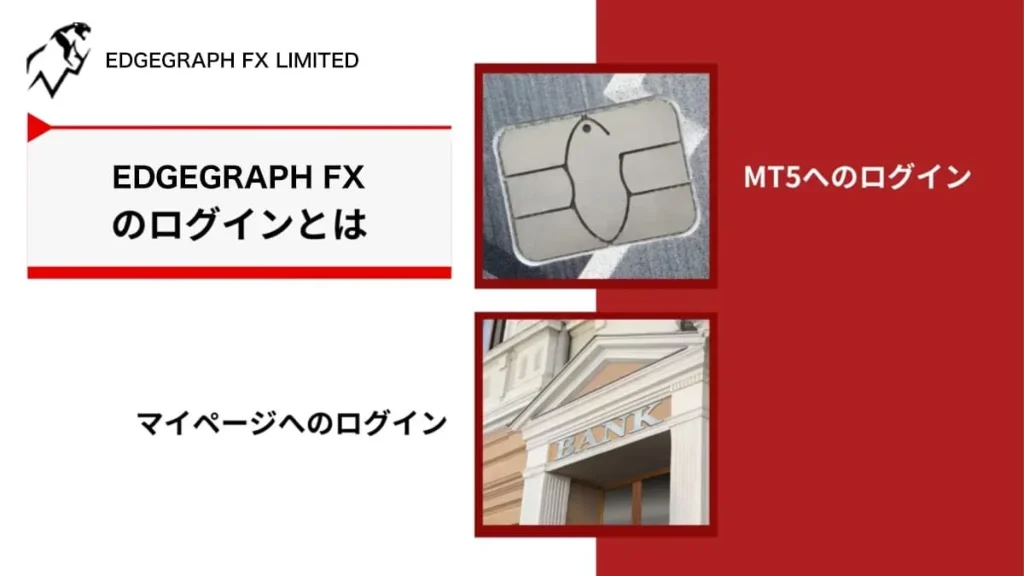
When it comes to logging in, there are two methods: logging in to My Page and logging in to the MT5 account.
First, let's look at the role each plays when using EdgeGraph FX.
Logging In to My Page
My Page is mainly needed for submitting identity verification documents, requesting withdrawals, and opening additional MT5 accounts.
When using EdgeGraph FX, bookmark My Page as you will use it frequently.
If you have not yet opened an account, you will not be able to log in. Please refer to the article below for account opening steps.
Logging In to MT5
MT5 is used when trading through EdgeGraph FX.
MT5 is a platform for trading FX and financial instruments. It is used by EdgeGraph FX and many other FX brokers.
When you open an account with EdgeGraph FX, you will receive an email containing your MT5 account login information.
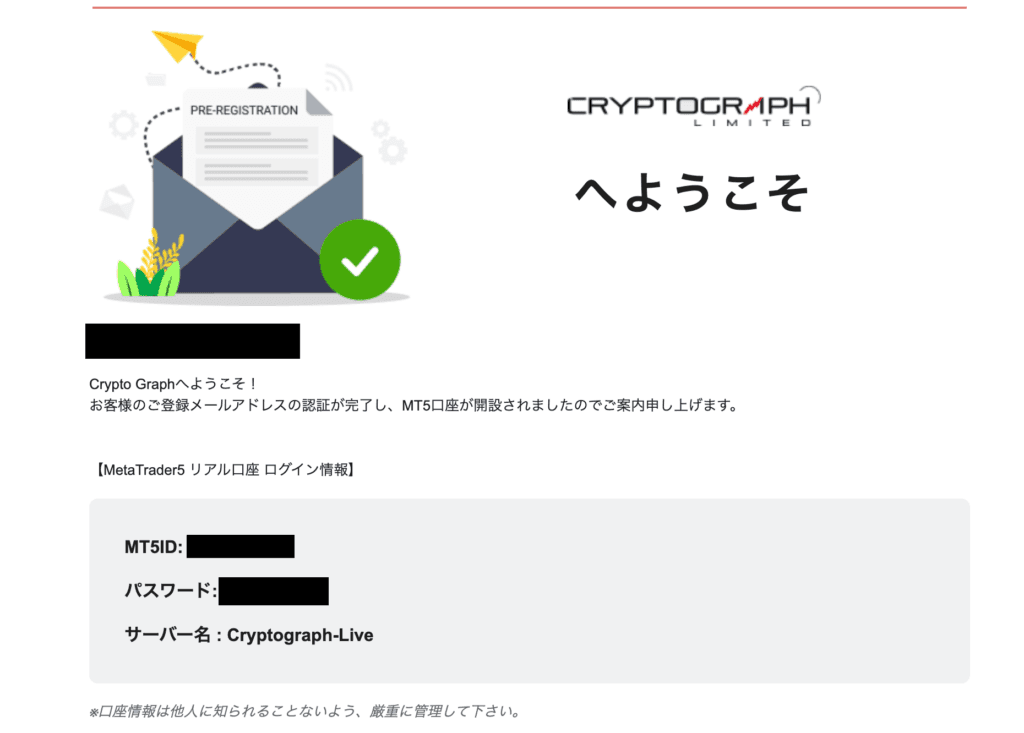
Keep it stored securely as you will need it later when logging in to your MT5 account.
How to Log In to EdgeGraph FX My Page
Logging in to EdgeGraph FX My Page is necessary for users to check their account information and review their trading history.
So that even first-time users or those unsure about the process can log in easily, we will clearly explain the login steps for both PC and smartphone.
Follow the steps below to smoothly access My Page.
How to Log In on PC [My Page]
The steps to log in on a PC are as follows.
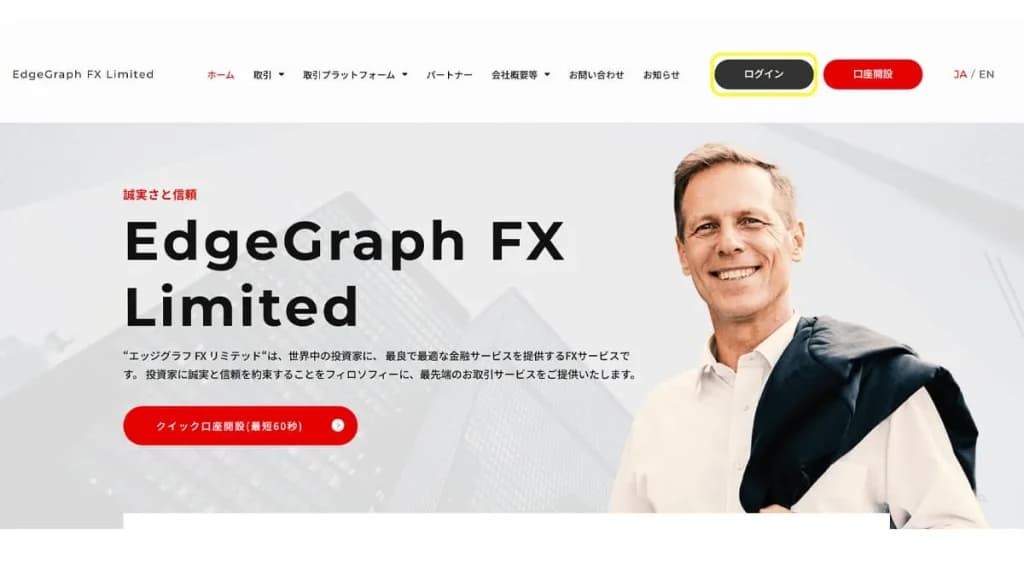
Go to the EdgeGraph FX official website and click the Login button
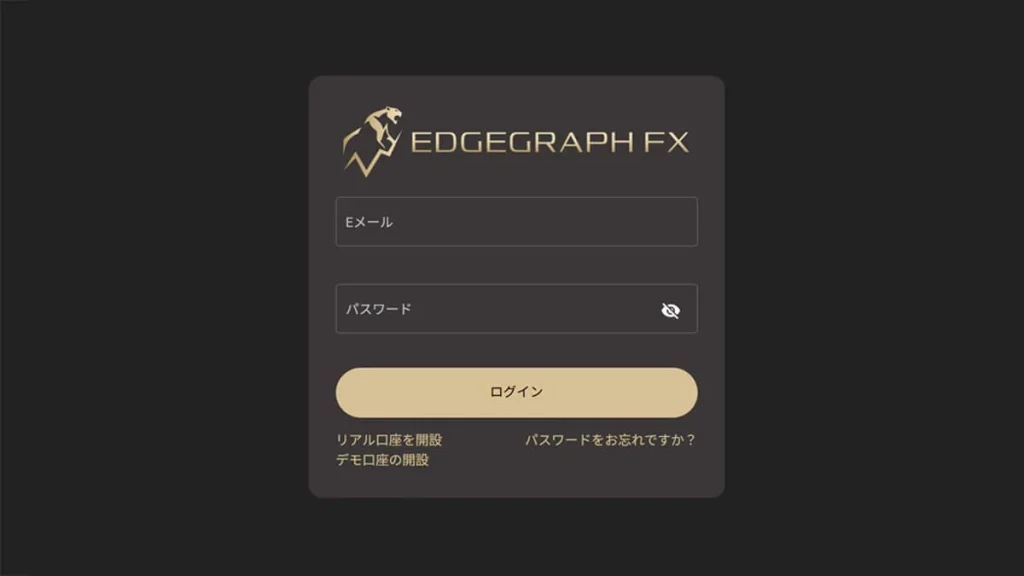
The EdgeGraph FX My Page login form as shown below will appear.
Enter your registered email address and password, then press the Login button.
Once login is complete, the following screen will appear.
You are good to go once this screen appears.
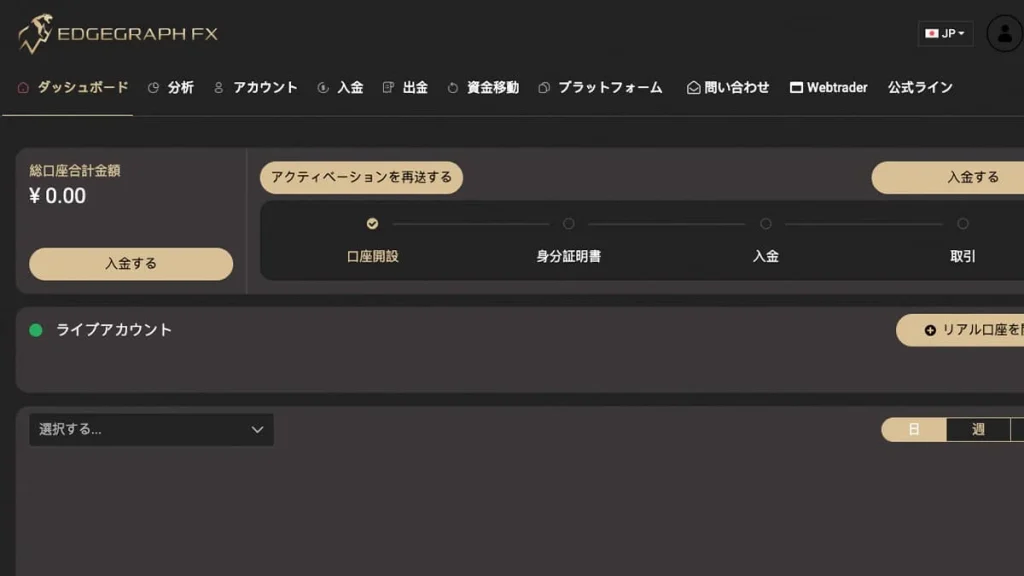
Once you have completed identity verification and made a deposit, you can trade at any time.
How to Log In on Smartphone [My Page]
First, open the EdgeGraph FX official page. Click the three-line menu button in the upper right of the screen.

The menu bar will open, so click Login.
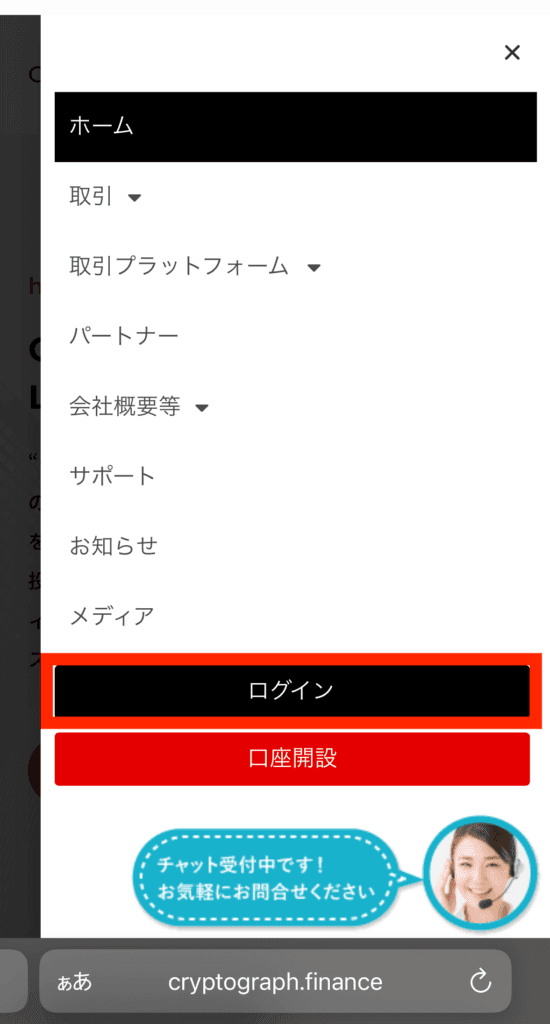
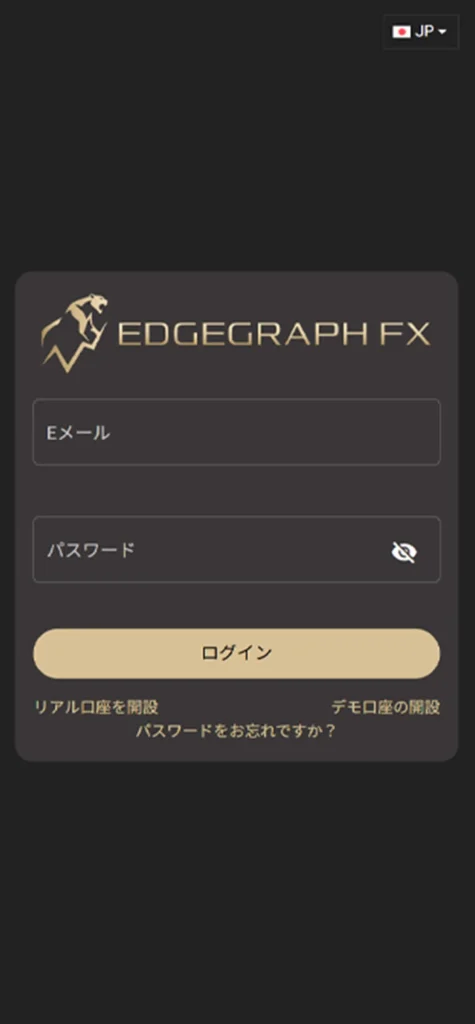
You will be taken to the EdgeGraph FX My Page. You will notice that the URL starts with 'my'.
Enter your email address and password to log in, just as on PC.
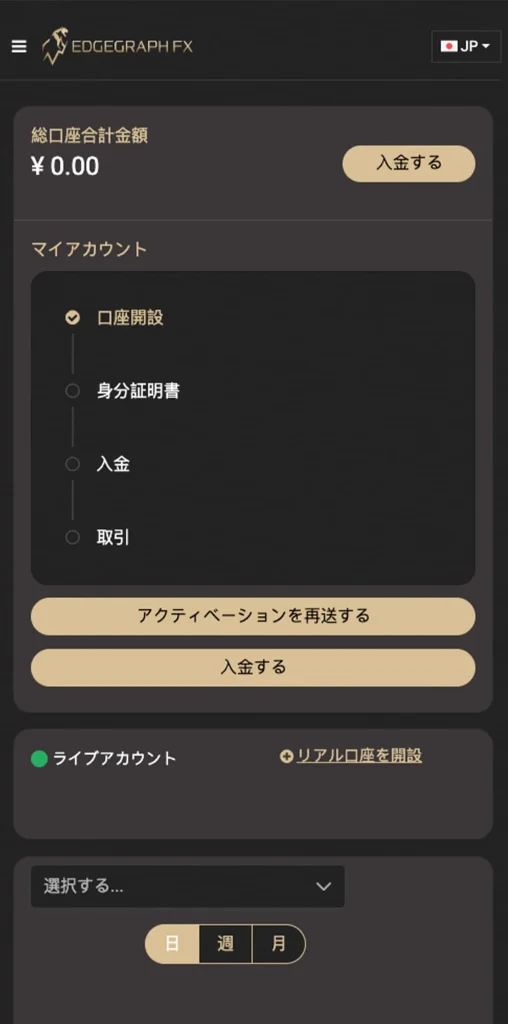
Once you have successfully logged in, the following screen will appear.
Experience unrestricted trading with up to 1000x maximum leverage and industry-lowest spreads!
Open an EdgeGraph FX Account HereHow to Log In to EdgeGraph FX MT5
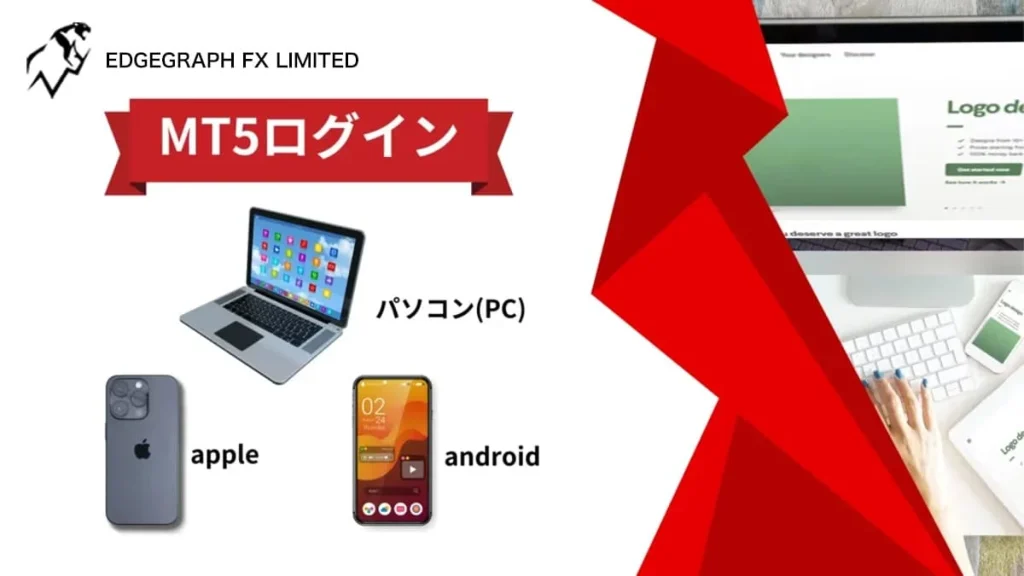
Please provide the MT5 login steps for both PC and smartphone with images.
How to Log In on PC [MT5]
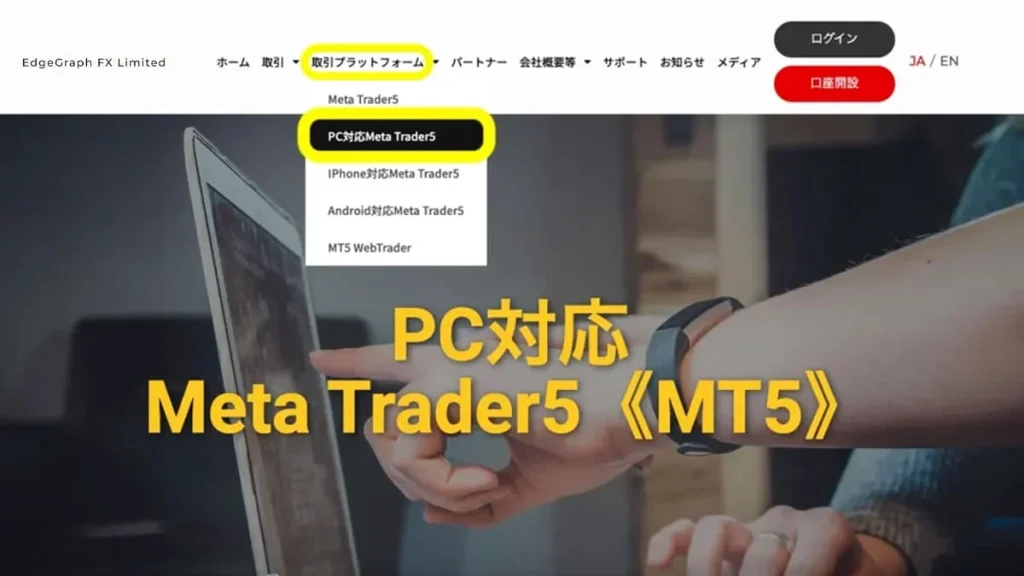
First, go to the EdgeGraph FX top page. Under the trading platform section, select the PC-compatible version Meta Trader5.
Scroll down the page and you will find a Download PC Version button; click on it.
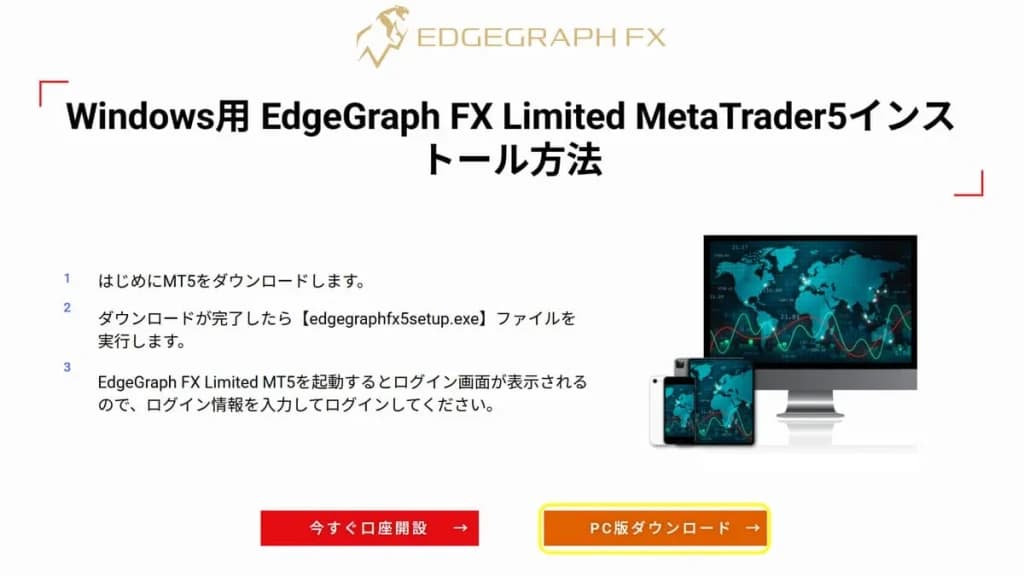
Once the download is complete, open the [cryptograph5setup.exe] file.
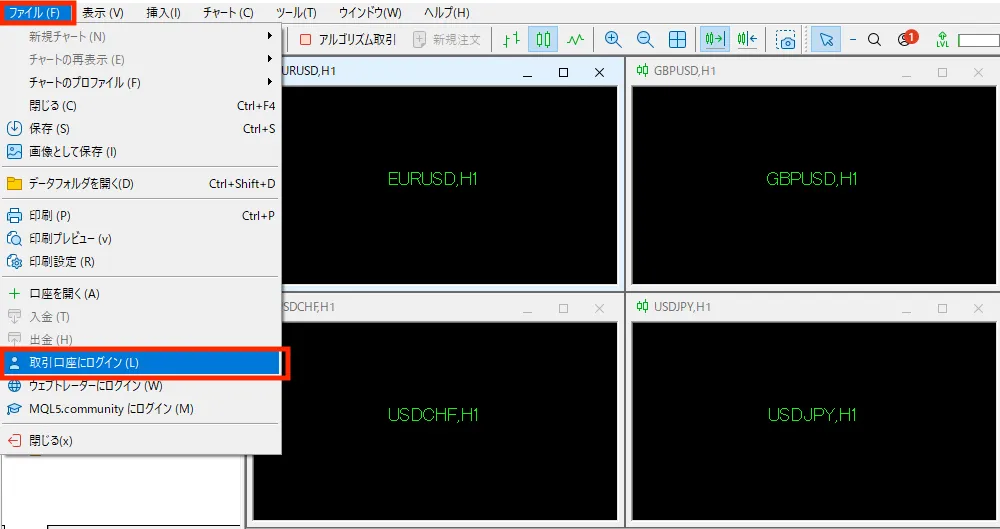
Once setup is complete, MT5 will be downloaded. Press Login to Trading Account in the file.
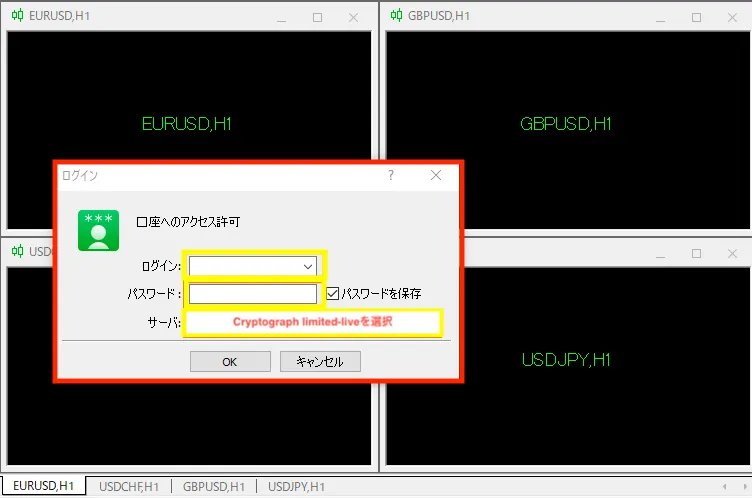
When logging in, select the EdgeGraph FX server, enter your login ID and password, and log in.
How to Log In on Smartphone [MT5]
First, search for the app name in your smartphone's app store.
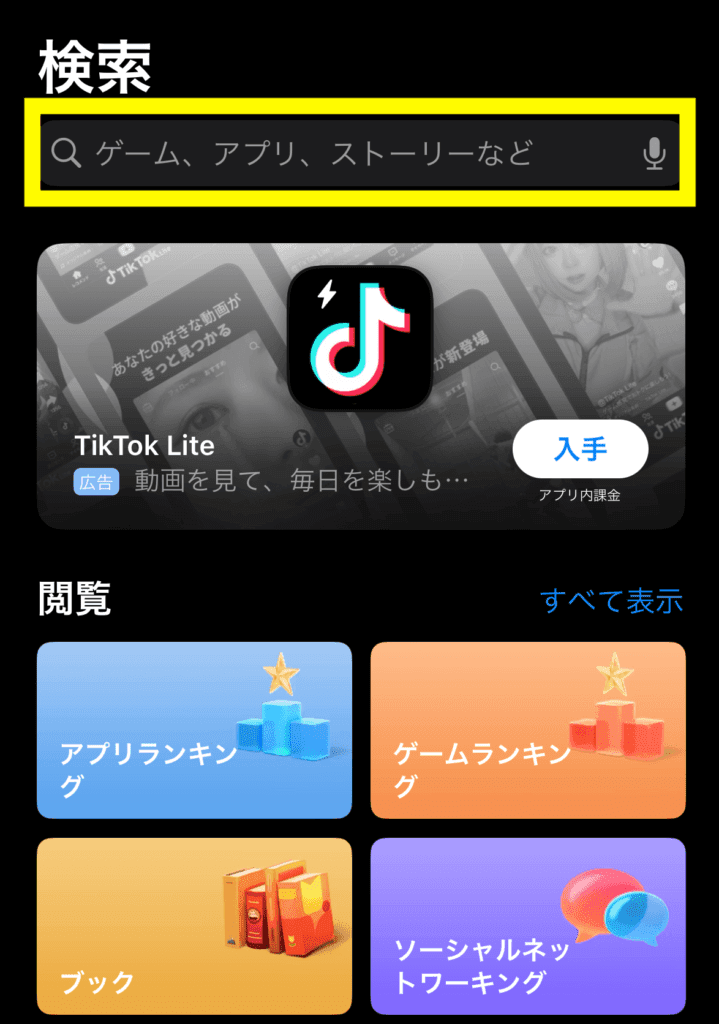
Searching for MT5 will show an app displayed as MetaTrader5; download it.
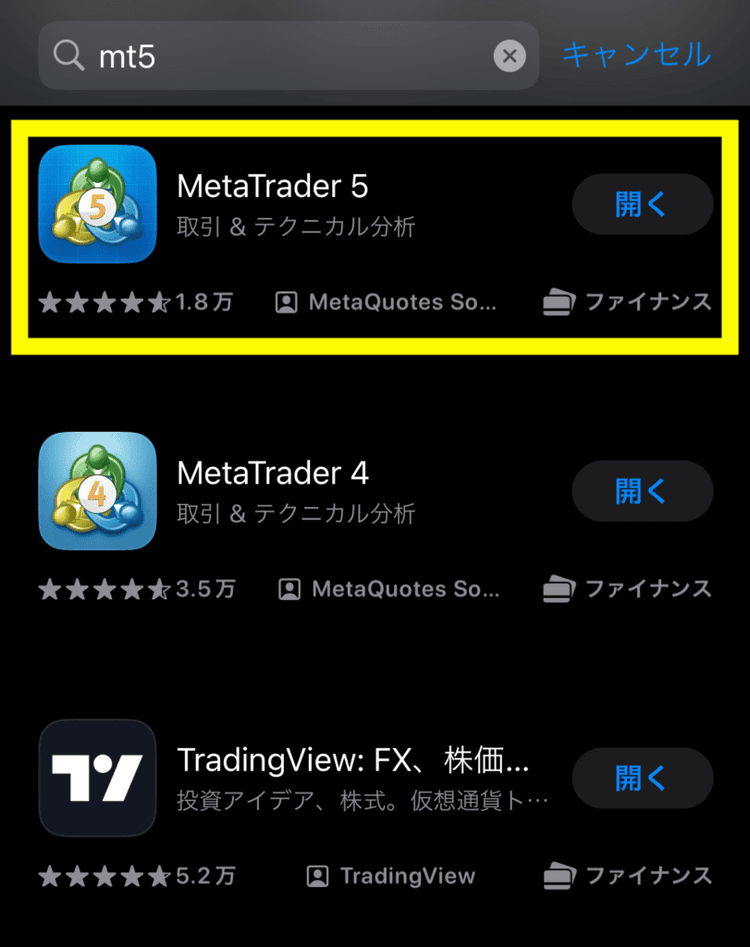
Once downloaded, open the app.
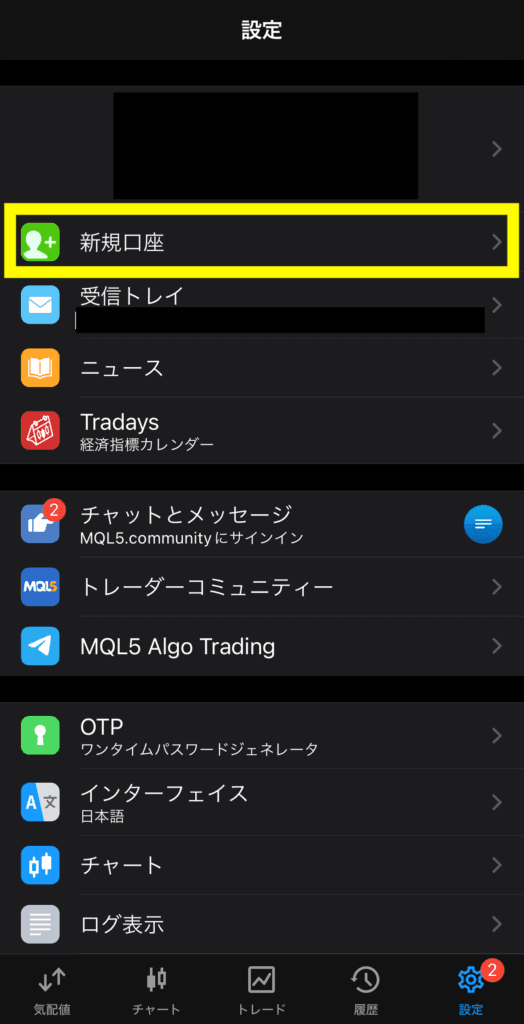
Open the app and from the settings section, click New Account.
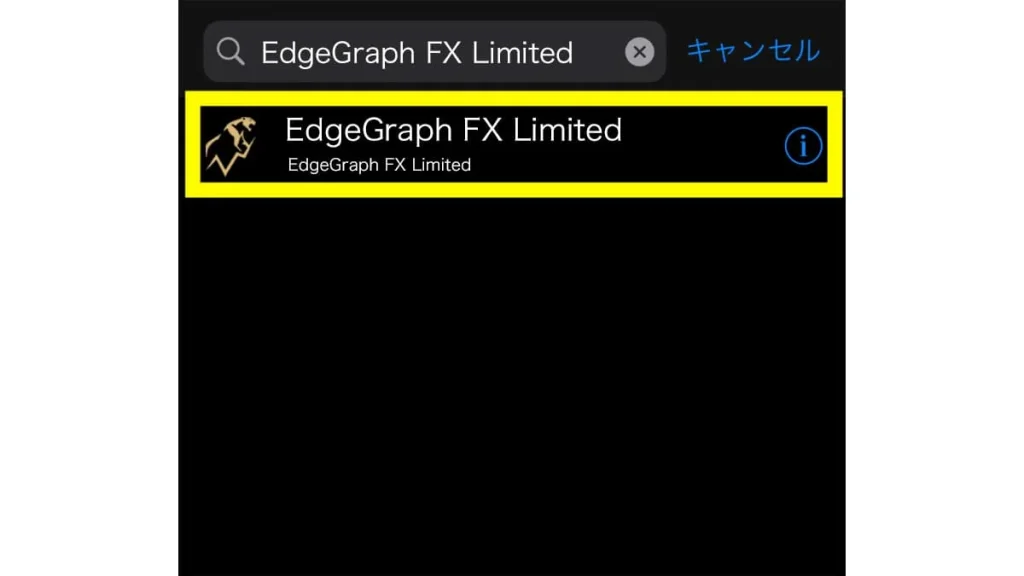
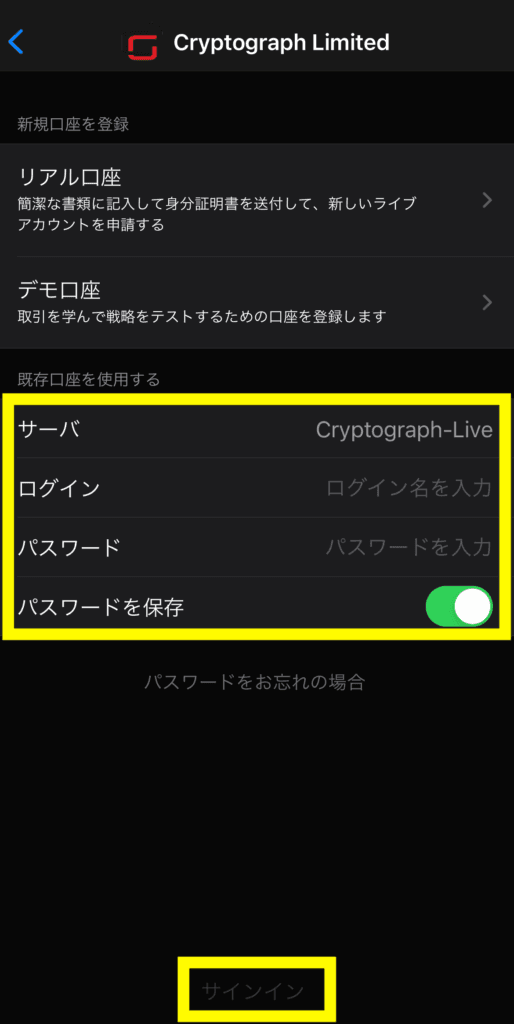
Search for "EdgeGraph FX Limited" and the item shown in the image below will appear; click on it.
Enter your login and password, then press Sign In.
After that, make a deposit from My Page and start trading!
Experience unrestricted trading with up to 1000x maximum leverage and industry-lowest spreads!
Open an EdgeGraph FX Account HereWhat to Do When You Cannot Log In to EdgeGraph FX My Page
When you open an account with EdgeGraph FX, an email containing your login ID and password will be sent to your email address, so checking that is the first step.
I don't know my login ID
The email address you registered with EdgeGraph FX may be used as your login ID.
First,check the email address you used when registering.
If you no longer remember the email address you used when registering, you can set a new email address via the "Forgot your password?" option on the My Page login screen.
I don't know my password
The EdgeGraph FX login page may have a "Forgot your password?" link.
Click this andproceed with the password reset process.
When you click the password reset link, a reset link will be sent to your registered email address.
Open that email and follow the instructions to set a new password.
If the password reset does not work,contact customer support.
Experience unrestricted trading with up to 1000x maximum leverage and industry-lowest spreads!
Open an EdgeGraph FX Account HereWhat to Do When You Cannot Log In to MT5
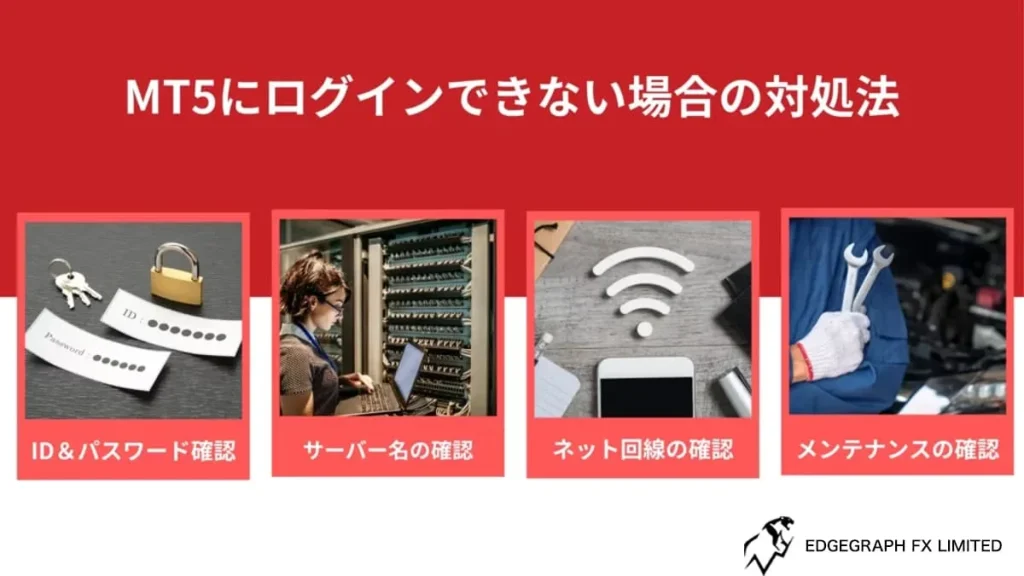
If you cannot log in to MT5 (MetaTrader 5), you may find yourself unable to trade.
There are various possible causes for login issues, but knowing the solutions will help you resolve them smoothly.
Below, we explain in detail everything from checking your login ID, password, and server name to verifying your internet connection and server maintenance status.
We will also introduce how to use EdgeGraph FX support.
- Check your login ID and password
- Check that the server name is correct
- Check your internet connection
- Check for server maintenance
Check your login ID and password
If you cannot log in, first check that your login ID and password are correct.
The login ID is usually your trading account number. The password is the one you set when creating your trading account.
Be careful that there are no uppercase/lowercase errors or extra spaces when entering your information.
It is also convenient to record your login information in a notepad or password management tool.
Check that the server name is correct
Also check that the server name you specify when logging in is correct.
When you opened your trading account, the server name should have been notified to you by email.
Check that you have selected the correct server name on the MT5 login screen and double-check for any errors.
Selecting the wrong server name will prevent you from logging in.
Check your internet connection
If your internet connection is unstable, you may not be able to log in to MT5.
First, check that your internet connection is working properly.
If you are using Wi-Fi, try restarting your router or check whether you can connect to the internet on another device.
If necessary, switching to a wired connection may ensure a stable connection.
Check for server maintenance
If the MT5 server is under maintenance, you may not be able to log in.
Check the EdgeGraph FX official website or email for maintenance information.
In most cases, scheduled maintenance is announced in advance. Wait until maintenance is complete or contact support to get the latest information.
Experience unrestricted trading with up to 1000x maximum leverage and industry-lowest spreads!
Open an EdgeGraph FX Account HereFrequently Asked Questions About EdgeGraph FX Login
Finally, we will answer frequently asked questions about logging in to EdgeGraph FX.
Log In to EdgeGraph FX and Start FX Trading!
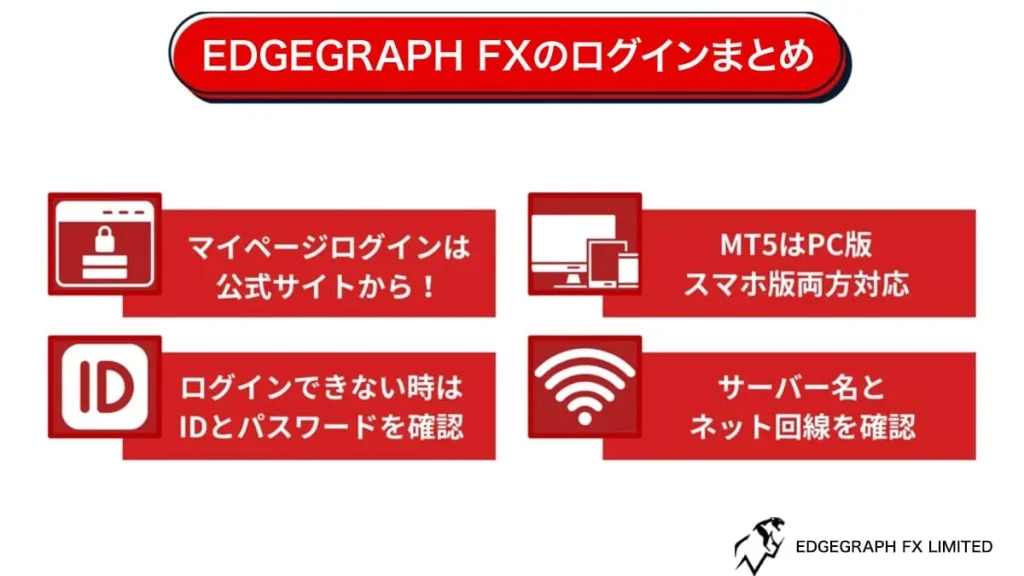
In this article, we have explained in detail how to log in to EdgeGraph FX.
If you are going to trade with EdgeGraph FX from now on,bookmark this page so you can refer back to it at any time.
EdgeGraph FX offers a wide range of features and excellent security, providing a comfortable trading environment.
After logging in, make the most of your trading opportunities and enjoy more effective trading.

![What is an FX Bonus? A Complete Guide to the Difference from Balance [EdgeGraph FX Beginner's Guide]](/_next/image?url=https%3A%2F%2Fhezwttxy7pl7mw4j.public.blob.vercel-storage.com%2F13-2-2.webp&w=3840&q=75)
![How to Start MT5 Trading with an EdgeGraph FX Demo Account [Complete Guide to Getting Started and Key Points]](/_next/image?url=https%3A%2F%2Fhezwttxy7pl7mw4j.public.blob.vercel-storage.com%2F12-2-2.webp&w=3840&q=75)
![What are EdgeGraph FX Spreads? A Complete Introduction to Spreads by Account Type [EdgeGraph FX LIMITED Official]](/_next/image?url=https%3A%2F%2Fhezwttxy7pl7mw4j.public.blob.vercel-storage.com%2F8-2.webp&w=3840&q=75)
![A Thorough Comparison of EdgeGraph FX's 3 Account Types, Their Differences, and Recommended Points [EdgeGraph FX LIMITED Official]](/_next/image?url=https%3A%2F%2Fhezwttxy7pl7mw4j.public.blob.vercel-storage.com%2F7-2.webp&w=3840&q=75)